EasyDNC Tour

A quick look at how RemoDNC simplifies your workflow.

Step 1

The RemoDNC Dashboard

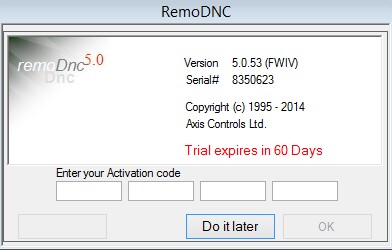
When you first launch the dnc software it will prompt for a licence activation code. If you have one you can enter it into the boxes otherwise just click the 'do it later' button.

The main window appears showing one default cnc icon named

'CNC1'.

From here, you can manage your files, monitor transfers, and access individual machine settings with a single click.
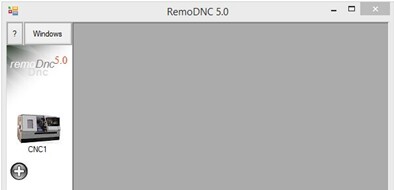
RemoDNC Main Screen Interface
Flexibility

Manage Multiple Machines

Need to handle more than one CNC? Just click the (+) button to add additional cnc icons.

Each icon represents a unique machine profile with its own communication settings, allowing you to switch from one to the other or run several transfers simultaneously.

Managing multiple CNC machines